My Open-source, Cloudless, Multi-host/user Password Manager setup with KeepassXC & Syncthing
I plan to go into detail on how I do passwording more in the future, but for the things that don’t warrant a long & unique diceware passphrase, a password manager makes a lot of sense to reduce all the separate internet account passwords I would otherwise need to remember.
KeepassXC is a great open-source password manager and would be completely ideal if I only needed logins on a single host. Unfortunately I like to separate contexts, dividing by host, further with users, and sometimes even further within the user account.
So I need something that can be set up in multiple places and ideally sync their changes in real time. For most people this isn’t really an issue as a lot of password managers offer cloud solutions but with the approach I’m taking to build this homelab and the constraints placed on me by it I wanted something different that doesn’t require me to compromise or introduce too much complexity like a self hosted cloud approach might.
Syncthing#
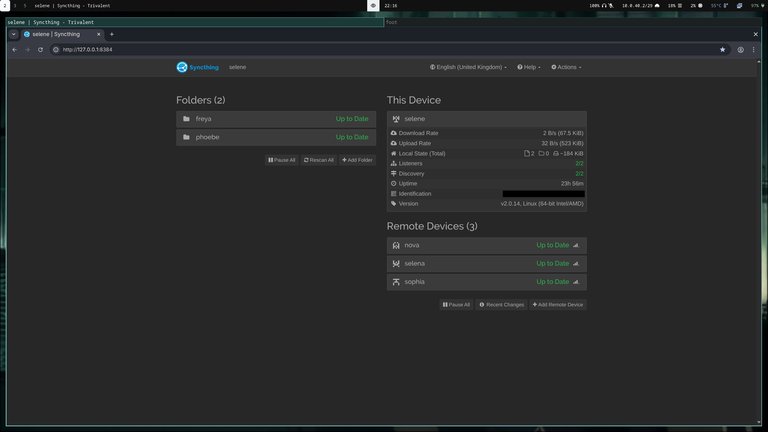
So my solution a few weeks ago was to set up a local-only Syncthing folder that shares my KeepassXC database across all my hosts, and have a shared user group on Linux hosts with multiple users and the appropriate Linux fs permissions to ensure it can be written to by users in the group so I can add entries as well as read them on those users/systems.
Due to some of my devices being on VLANs and having local firewalls, other than specifying the tcp://
GrapheneOS#
One of the devices I wanted synced was my GrapheneOS phone, which has KeepassDX and Syncthing-Fork available on F-Droid. I haven’t got around to trying it on another profile but I’m pretty sure it will just act as another device with its own ID. I’ll update this when I do.

Potential issues#
If two databases are open and try to write changes at the same time, there is the potential for a sync conflict. The same thing would also happen if I made edits to a database that hasn’t yet synced changes due to network connectivity. My understanding is that Syncthing will create a separate file with something like “.sync-conflict” in the filename inside the share when this happens, where I should be able to use Keepass’s “merge databases” feature to resolve the conflict if I need to.
Defense-in-databases#
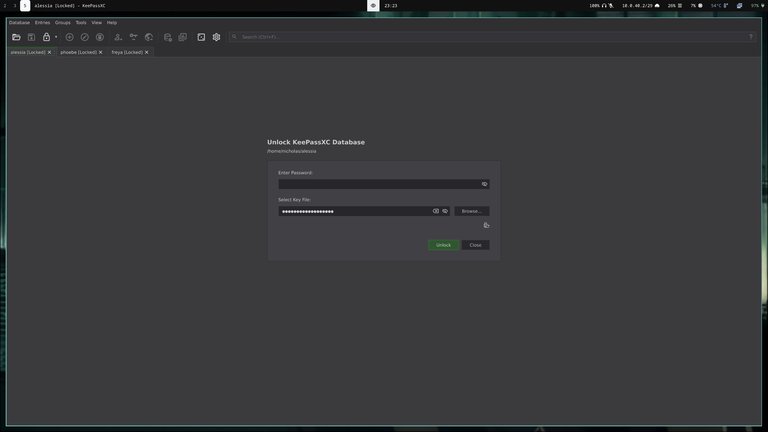
Keepass databases are encrypted-at-rest and most of the accounts I’ve put in it are recoverable via email accounts with passwords that I’ll never put in a password manager. So I could just use the one database and I mostly am, but just because I like to be ridiculous, I decided to create three databases and separate the accounts that are in it into trust zones that align with my network trust model a little better.
I set up a keyfile USB for the highest trust one and added that to my backup procedure just to say I’ve done it at least once but from my understanding this is pretty redundant. There is one use case where it might prevent a remote attacker from opening it if they can only exfiltrate the db while it’s locked, and that’s assuming I get into a habit of unplugging it regularly. The tradeoff of usability vs security here isn’t worth it for me right now so I’ll probably get rid of this soon.
Encryption Settings#
Most of my homelab consists of 10-15 year old systems so I’m used to waiting more than the default 1s decryption time for something to open and figured I might as well increase the Transform rounds (increases overall bruteforce time) and Memory Usage (increases bruteforce time for GPU-based attacks) and what I’ve landed on takes ~4seconds which is plenty fast for me.
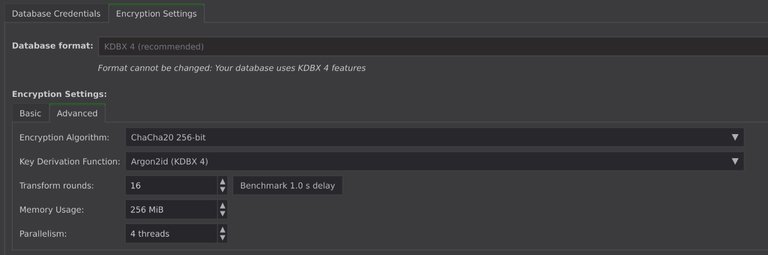
For the encryption algorithm I chose ChaCha20 mostly because it’s more fun to say “I use ChaCha20” than “I use AES” but in my brief research it seems like tradeoffs are pretty negligible between the two, at least on my system/this use case, and the creator of ChaCha20 seems like a cool guy.
Result#
The final result is something that feels pretty seamless. I can leave the house with my phone and Syncthing-Fork will go to sleep while a local copy of two of my databases is retained. I can create a new account/entry on either of them and when I get home, usually by the time I’ve logged into one of my computers, my phone has connected to my WiFi and the Syncthing service on my computer has already launched and synced the updated db and will show the entry as soon as I’ve opened KeepassXC. If I want to be certain, it barely adds any friction to the process at all to just check the Syncthing-Fork app or the localhost WebGUI for the service to ensure it has synced. Similarly, I can add an account on one of my computers or user accounts, close the db, switch to another computer or user account and immediately read the new entry and update/edit them from the new location.
 Syncthing
 KeepassXC